
How to Announce Your College Commitment
You have a decision to share. Announcing your college commitment can be simple: where you are headed, what it means to you, and a graphic that feels like your moment. Here is how to get it ready without overcomplicating it.
Choose the right announcement
First, decide what you are announcing. A commitment post shares your college decision. A signing day post celebrates a signing milestone. Use wording that describes what has actually happened.


Sample graphics: a commitment announcement and a signing day celebration.
For NCAA recruiting, a verbal commitment is not binding on the athlete or the school. A public graphic does not change that status. If you are unsure how to describe your situation, confirm it with your college contact before you post. NCAA recruiting guidance.
For a commitment announcement, start with the college commitment graphic maker. For a signing celebration, use the signing day graphic maker.
Get the details right
Write down the details you want the graphic to carry:
- Your name.
- Your college or team name.
- Your sport.
- Any position, number or class year you want to include.
- Your announcement wording.
Check the college name and team colors carefully. Include only details you are ready to share publicly. A short, accurate announcement is stronger than a crowded graphic full of information you have not confirmed.
Choose a moment that works for you and the people involved. If you are coordinating with a coach, family member or school event, agree on timing before sharing. There is no universal posting time that this guide can promise will make an announcement successful.
Choose your photo and graphic
Pick a clear photo where you are easy to recognize. An action image can carry the energy of your sport; a portrait can keep the focus on you. Keep the original file when possible and make sure you have permission to use it.
Our photo selection guide explains what to look for.
For the graphic itself, let the athlete and college lead. A clear name, the right colors and a direct headline are enough to communicate the moment. You do not have to include every detail in the image—your caption can carry the rest.
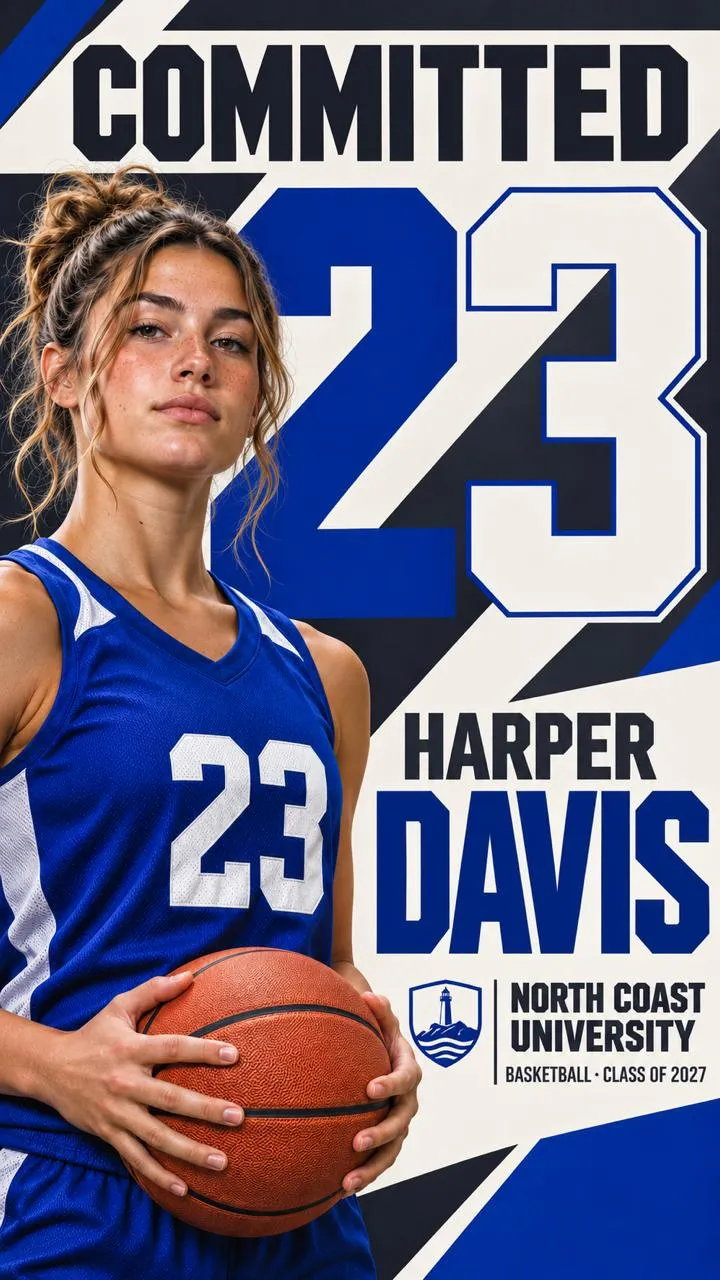

Sample graphics: the athlete, name, colors and college lead both designs.
Write a caption in your own voice
Start with the news. Then add the people or experiences you want to acknowledge. You do not need to sound like a press release.
Three starting points you can personalize:
Direct
“I’m excited to announce my commitment to [College] to continue my academic and athletic journey. Thank you to everyone who helped me get here. Ready for what’s next.”
Grateful
“Proud to share that I’ve committed to [College]. To my family, coaches and teammates: thank you for your support and belief in me. I can’t wait for this next chapter.”
Short
“Next chapter: [College]. Proud to announce my commitment. Let’s get to work.”
Replace the brackets, keep only what is true for you, and change the language until it sounds like something you would say. Do not imply a scholarship, roster role or signing status that has not been confirmed.
Decide who belongs in the post
If you want to tag your college team, club or high school, check the account name before posting. Tag people only when it makes sense for your announcement; your caption does not need a long list.
Tell the people you want to hear the news directly before you share it publicly. Agree on timing with anyone helping coordinate the announcement.
Review it where people will see it
Open the graphic on your phone. Can you read the name and college without zooming? Does the photo still look like you? Are the important details visible in the platform’s posting preview?
Check the caption separately. Read names and tags carefully, and make sure there is no private information you did not intend to share. If the platform offers image descriptions or alt text, add a short description of the athlete, college and announcement shown in the graphic.
Before you share
- The message matches my actual commitment or signing status.
- My name, college and other included details are correct.
- I have permission to use the photo and other supplied assets.
- The graphic is readable on my phone and works in the post preview.
- My caption sounds like me, and any names or tags are correct.
- I have coordinated timing with anyone who needs to be involved.
Make the announcement yours
Create a personalized college commitment graphic from your photos and team details, then explore an animated version or keep the moment as a custom sports poster.
Create Your Graphic